Three ways to use Frothy
Intentionally keep your friends close.
Five minutes the first time. Then a few taps whenever someone’s on your mind.
1
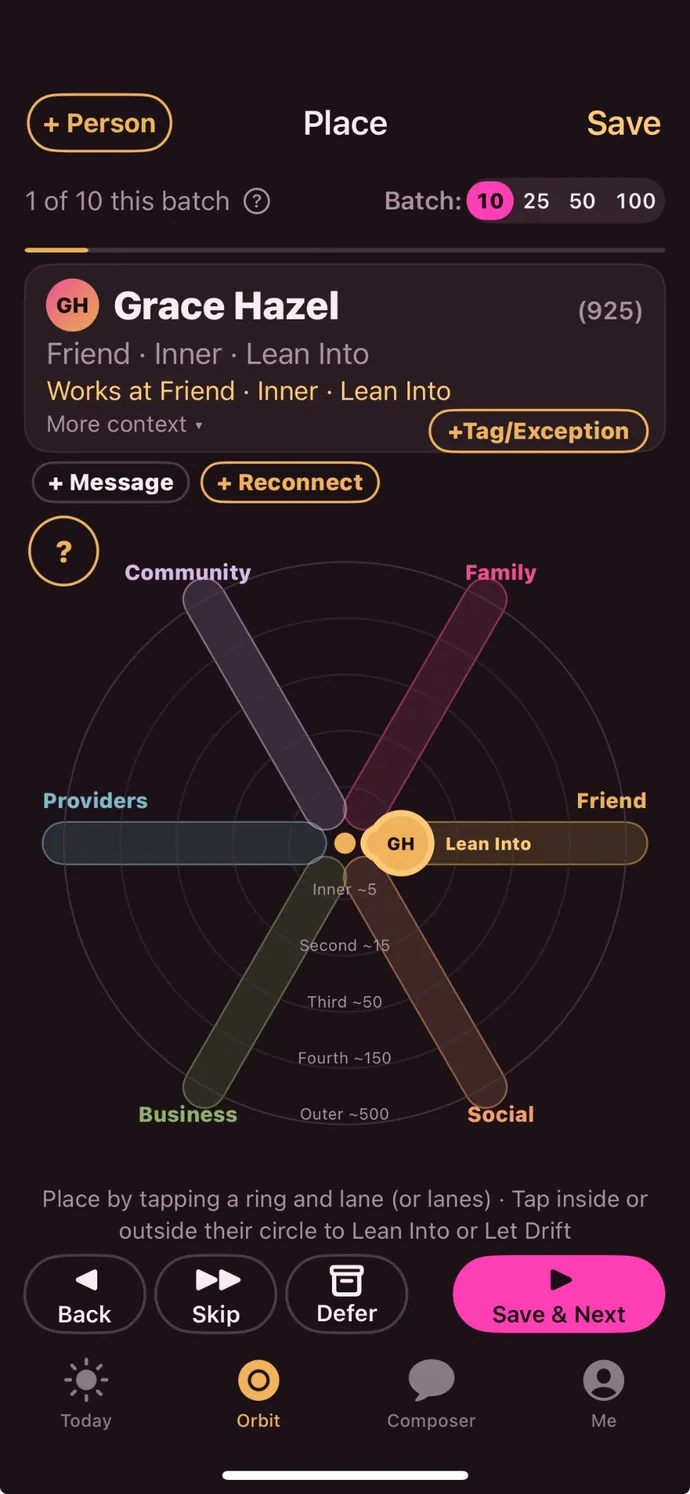
Place your people in orbit
Frothy for Mac sends your phone the ~200 people you talk to most, out of thousands of contacts. Place 50 in five minutes: who they are to you, and how close.
2
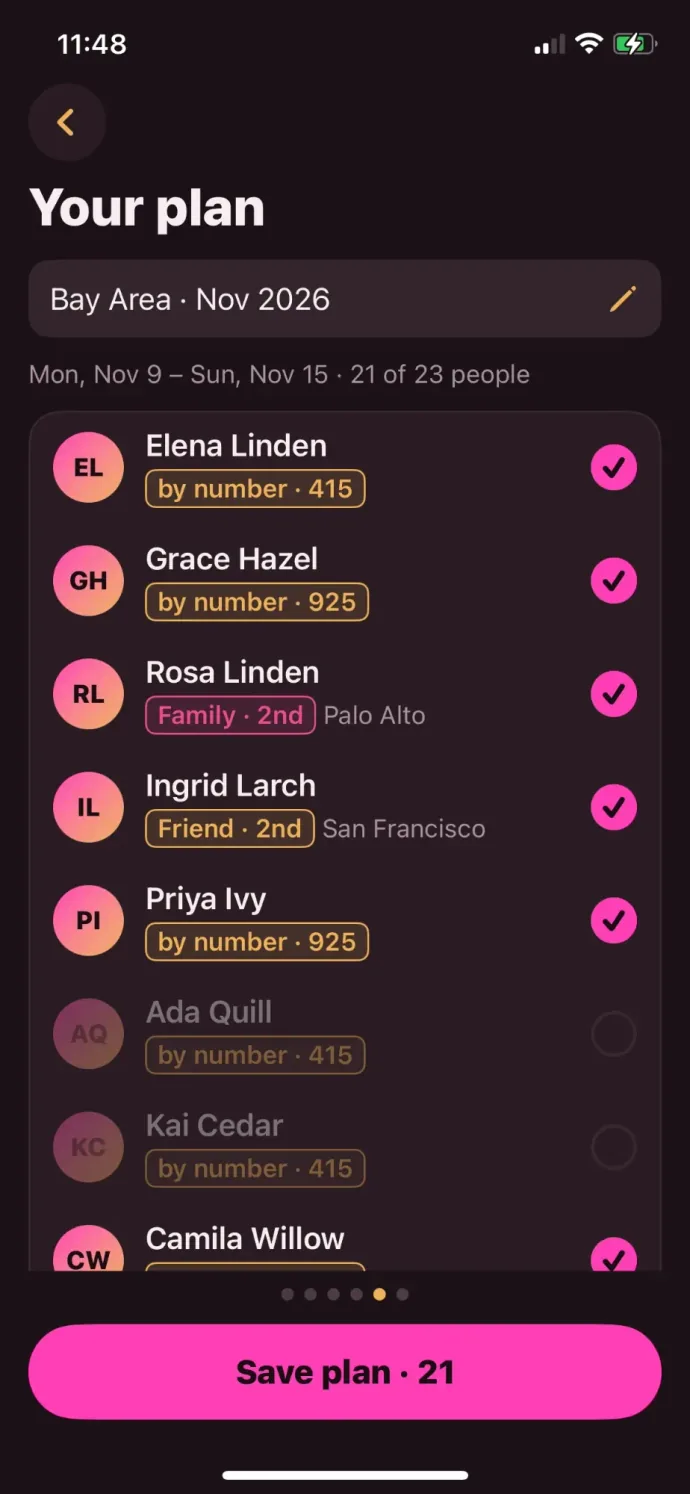
Pick a city you’re visiting
Add your dates and Frothy lists who’s there, by the towns you’ve set and by area code. Untick anyone, then save it as your plan.
3
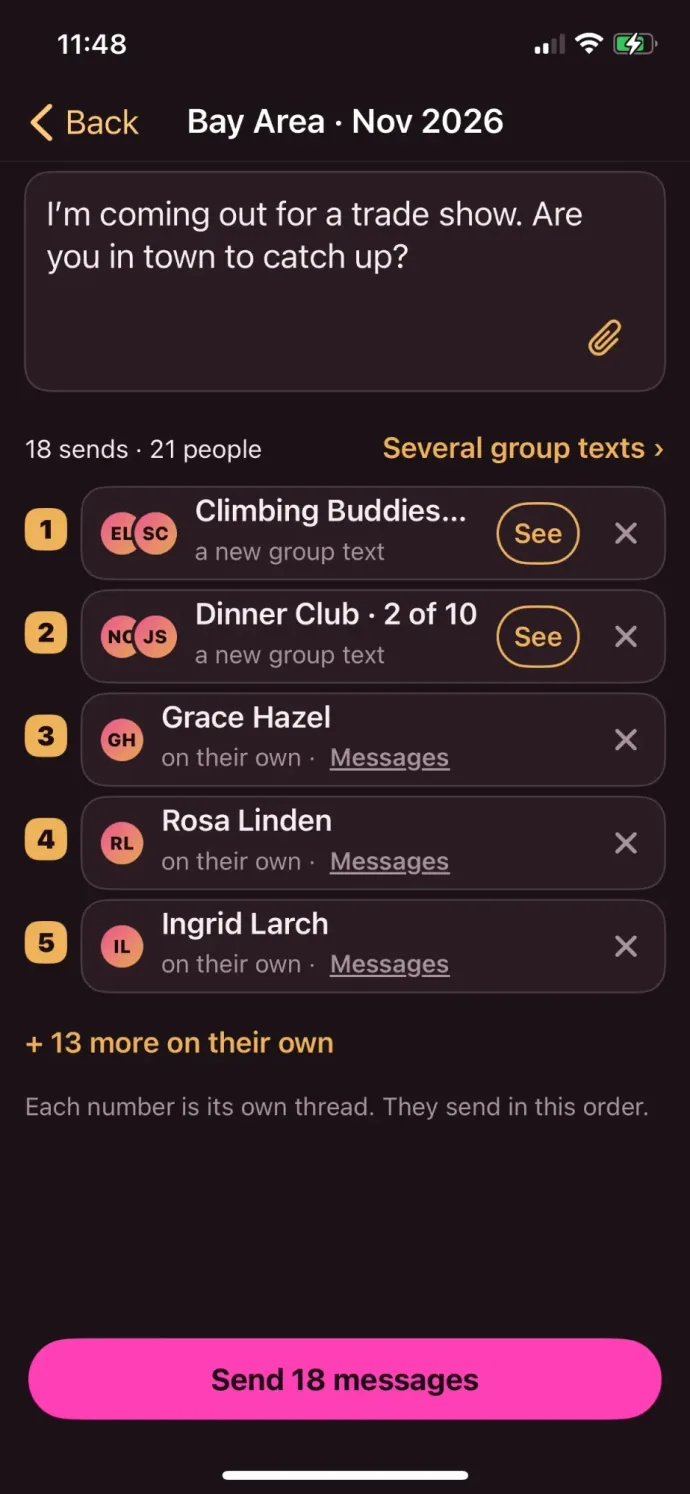
Send the same message as a DM and/or group thread
Share a photo or suggest a meetup: I’m coming out for a trade show. Are you in town to catch up?
Send it as one group text, several group texts, or to each person on their own.